
The player, the account and the screen
The XOTT application is one part of the viewing setup. It offers the interface on a compatible screen; a service account supplies the playlist and content access. A television, network connection, account and app build each have a separate role when you test playback.
This distinction helps with both purchasing and support. A downloaded application does not establish an active subscription, while a paid account does not guarantee the same application is distributed for every operating system. Match both parts before you begin.
Understand the illustrated controls
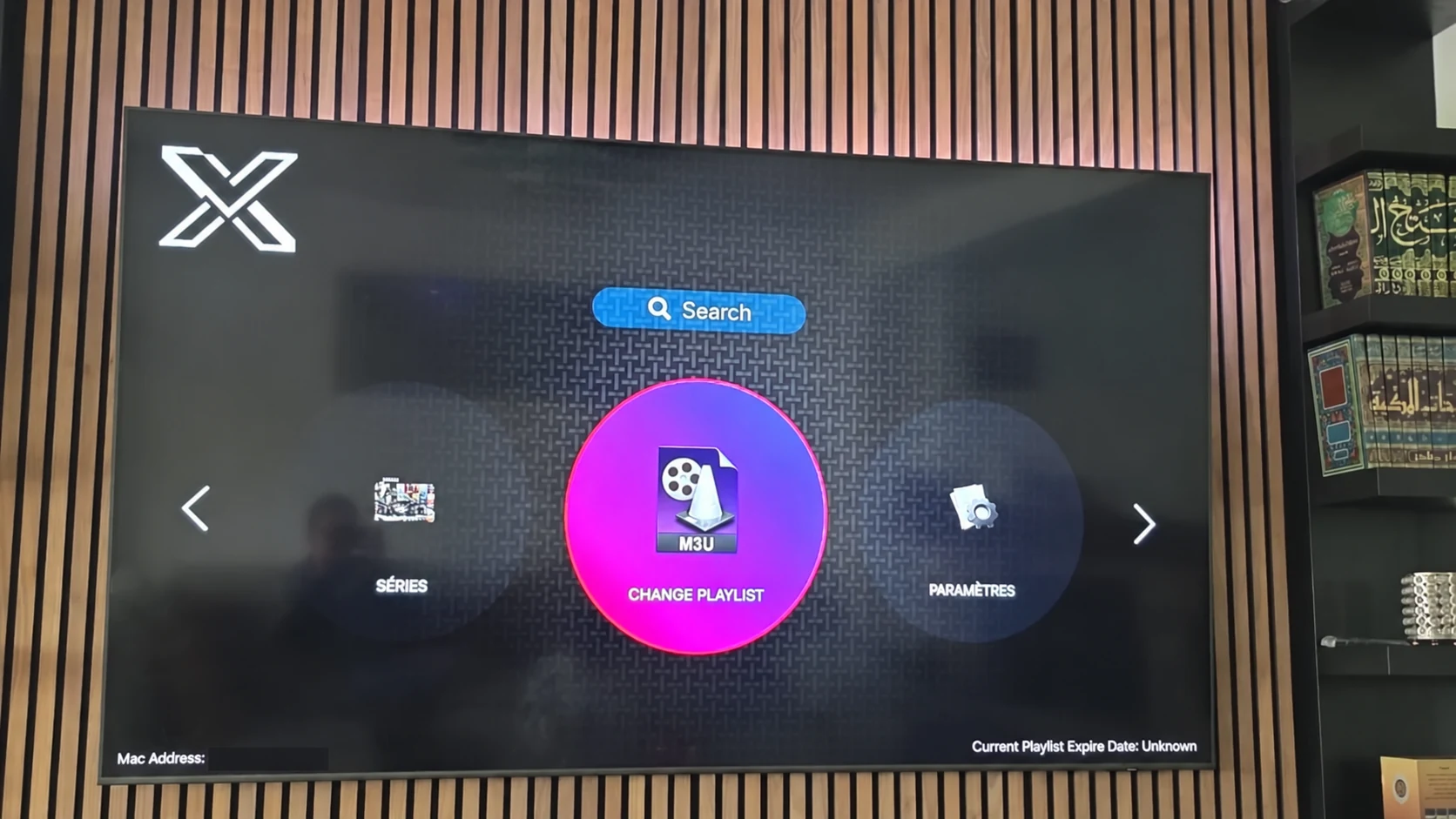
The photographed XOTT interface shows a search control, a playlist-change option and a settings area. These are navigation examples from the illustrated version, not a list of features guaranteed for every platform. The store photo also includes small interface previews and an installation control.
- Use playlist controls to connect the account format supported by the installed version.
- Use available search and category navigation to find items supplied by that account.
- Review the settings actually shown by the current build before changing them.
- Read any displayed account or playlist status as a clue for the next check.
Requirements worth confirming
Record the operating system, exact device model, app source and supported account method. Playback also depends on the individual source, codec, device decoder, display and local connection. A higher-resolution title can have different requirements from a lower-bitrate live source.
Programme-guide information, on-demand categories, replay and favorites depend on both the account and the player implementation. Check the features you want during the trial rather than inferring them from the application name.
Settings and account details have different jobs
Keep a record of useful player settings separately from private account credentials. Category filters, time display, audio selection and local favorites can be player preferences where available. The server or playlist credentials control account access and should be supplied through private support.
If the application is updated, verify whether it preserves those settings. If the subscription changes, confirm the new account method before replacing a working playlist. A careful note of the previous state makes troubleshooting more useful.
Questions about this XOTT guide
Is XOTT the same name as X OTT?
This website uses XOTT as its brand and includes X OTT as a common spaced form. Always check the installed application identity rather than relying only on a similar name.
Does installing XOTT Player include a subscription?
Installation provides the player. A compatible service account supplies access to its available playlist and streams.
Where can I download the XOTT app?
Check the legitimate source available to your device. The photographed television listing is a Smart TV example; other platform builds must be confirmed separately.
How do I request a one-day trial?
After installing your player, WhatsApp support with your device and app name. Support confirms a matching account and current trial availability.
Can I use the app on two screens at the same time?
The published subscription plans include one customer connection. Installing a player on another device does not add another simultaneous connection.
Is an 8K player code a XOTT code?
No. A code in the supplied list belongs to the named separate player. Confirm a specific XOTT download source before installing it.
Your next step
After installing your player, WhatsApp us for a one-day trial. Include the device model, the exact app name and the account or playlist screen you see. Support will confirm a matching login method before you enter any account details.